
Back Market - Buy & Sell tech
Back MarketShopping
4.74.78K Reviews
- Version
- 5.67
- Installs
- 10.00M
- Age Rating
- Everyone
Screenshots
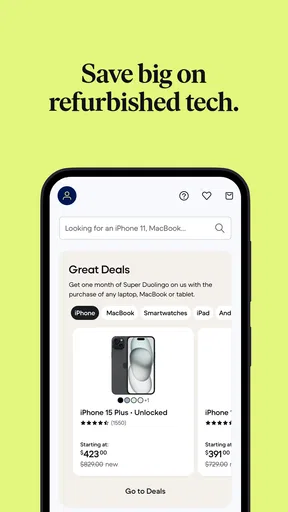
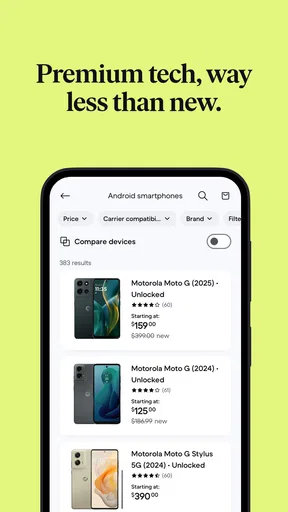
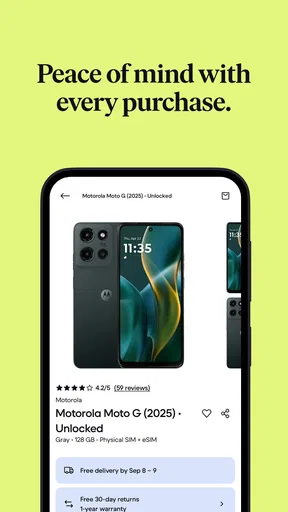
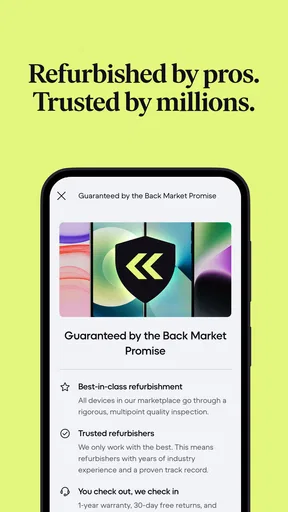
Our Review of Back Market - Buy & Sell tech
 Analysis by Appyee
I approached Back Market as a shopping tool rather than simply another place to browse gadgets. Its focus is refurbished electronics, so the real question is not whether it has the newest-looking storefront, but whether it makes buying a previously owned phone, tablet, laptop, console, or accessory feel manageable. After spending time with the app, I found that its strongest value is the way it brings refurbished products into one searchable marketplace while also giving people a route to trade in an old device.
The app is free, aimed at everyone, and developed by Back Market. It is available for devices running Android 9 or later, and its current version is 5.67. That makes it accessible to many people who are not using the newest phone, although the experience will still depend on the age and performance of the device on which it is installed.
How I Decide Whether Back Market Is the Right Shopping App
My first decision point with refurbished electronics is trust. A low price alone is not enough if I cannot understand what condition I am buying, who is selling it, or what I should expect when the parcel arrives. The app is useful because it puts the buying process around those questions instead of treating a used device like a mystery bargain.
I also look at the total effort involved. Searching for a specific model across individual sellers can take a long time, and comparing condition descriptions from one marketplace to another is tiring. Here, I can start with a product type or model and then narrow my attention to the offers that seem appropriate. That does not remove the need to read carefully, but it makes the first stage much less scattered.
The third criterion is whether refurbished is actually suitable for my situation. If I need an unopened product, the latest release immediately, or a very particular configuration, a conventional retailer may be a better fit. If I care more about getting a capable device for less than a new equivalent, or I want to keep an older model in use, this app becomes much more interesting.
One detail I would not overlook is the difference between cosmetic appearance and practical condition. A device can have marks and still work perfectly, while a pristine-looking item may not match the exact storage, network, keyboard, or accessory setup I need. I treat the condition grade as one part of the decision, not as a substitute for checking the full offer.
The marketplace has attracted a substantial audience: it shows a 4.7 average from roughly 171 thousand ratings, with more than 10 million installs. Those figures suggest that the basic concept has reached many shoppers, but they do not guarantee that every individual listing will suit every buyer. My own rule is simple: use the app to compare thoughtfully, not to switch off normal shopping judgment.
Searching works best when I begin with the job, not the gadget
A useful workflow is to start by describing what I need the device to do. For example, I might be looking for a phone that will handle messaging, navigation, photographs, and banking rather than automatically chasing the most expensive model. Once I have a shortlist, I compare storage, condition, and generation together. This avoids the common mistake of choosing a cheap listing and only later discovering that it has too little capacity for my daily use.
For laptops, I would be even more specific before browsing. A student who needs documents and video calls has different priorities from someone editing large media files. Refurbished shopping can make an older premium machine attractive, but age may matter for battery life, operating-system support, ports, and compatibility with future software. The app helps me find candidates; it cannot decide whether a particular specification will remain useful for my work.
I also recommend saving a small comparison note outside the app while shopping. I write down the model, storage, condition, and the reason it fits my needs. This sounds basic, but it prevents a familiar marketplace trap: opening many similar listings and losing track of which compromise I was actually willing to make.
Where the marketplace feels stronger than ordinary second-hand shopping
The biggest advantage is concentration. Instead of moving between classified ads, auction pages, manufacturer outlets, and local listings, I can investigate refurbished electronics in one dedicated environment. That is especially helpful when I know the general product family but am flexible about the exact generation or finish.
I find this more useful for people who want a middle ground. Buying new is straightforward but can be expensive, while buying directly from an individual may offer a tempting price with more uncertainty and more work. A specialist refurbished marketplace sits between those options. It is not the same as buying from the original manufacturer, but it gives the search a clearer structure than an unfiltered stream of private listings.
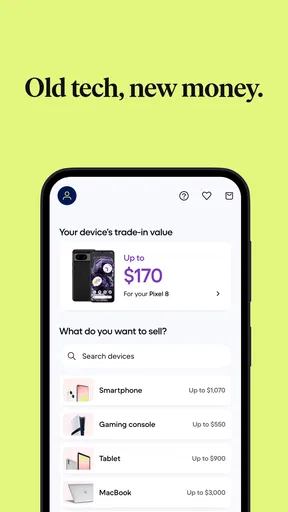
The trade-in side adds another practical advantage. When I replace a phone, the old one often remains in a drawer because arranging a sale feels like a chore. Having a sell-back route in the same app can make the upgrade decision more concrete. I can think about the outgoing device and the replacement as one project instead of treating disposal as an annoying task for later.
There is also a useful psychological benefit. Refurbished shopping can feel risky when every seller presents information differently. A consistent marketplace experience makes it easier for me to compare offers without starting from zero each time. That does not eliminate uncertainty, but it lowers the mental barrier for someone who has never bought refurbished hardware before.
Three less obvious ways I would use it
My first practical use is a controlled replacement rather than an emergency purchase. If my phone is still working but its battery or storage is becoming inconvenient, I can browse early, compare several acceptable models, and wait until I understand the trade-off. This is better than opening a shopping app only after the old device fails, when I am more likely to accept the first available option.
Second, I would use the app to test whether a premium older device is genuinely a better value for me than a cheaper new one. The comparison should include more than the purchase price. I would consider remaining software support, repairability, battery expectations, camera needs, and the cost of replacing the device sooner. A refurbished flagship can be appealing, but a newer modest model may be wiser for someone who values long-term simplicity.
Third, I would treat trade-in as a planning tool for household technology. A family may have an unused phone, tablet, or laptop that no longer serves its original owner but could offset a replacement. Before sending anything, I would remove personal accounts, back up important files, reset the device, and photograph its condition. That preparation is valuable regardless of the final offer because it protects the owner’s data and creates a record of what was sent.
What can make the experience less convenient
Refurbished shopping requires more attention than buying a sealed product from a familiar retail shelf. I need to inspect the exact listing, not just the product name. Small differences in storage, connectivity, keyboard layout, included accessories, or physical condition can change whether the purchase feels like a bargain.
There is also an emotional trade-off. Some buyers want the unboxing certainty of a brand-new item, and no amount of filtering changes that preference. Even when a refurbished device works well, visible wear may bother someone who expects an immaculate product. I would not recommend this route to a person who knows that cosmetic imperfections will cause immediate regret.
Another friction point is timing. If I am buying a gift for a fixed date or replacing equipment needed for work tomorrow, I prefer an option whose availability and fulfilment process I already understand. A marketplace with multiple refurbished offers can be excellent for comparison, but the most attractive listing may not be the one I would choose when certainty and speed matter more than saving money.
Returns and support are also part of the decision, even before I place an order. I read the relevant purchase information carefully and keep the packaging until I have checked the device. That is not unique to this app, but it matters more when the product has a history and the listing details are central to the purchase. I would never discard the box immediately after delivery simply because the device powers on.
How it compares with the alternatives
Compared with buying new from a traditional retailer, Back Market is more appealing when price and access to older premium hardware matter. The compromise is that I must evaluate condition and configuration more carefully. A traditional retailer is usually the easier choice for someone who wants a sealed product, a simple model range, or a familiar in-store exchange process.
Compared with buying directly from an individual, this app is more structured. Private sales can be worthwhile when I am comfortable inspecting the item, meeting locally, or negotiating, but they demand more personal effort and judgment. Back Market is better for shoppers who want a dedicated refurbished marketplace rather than a conversation with an unknown seller.
Compared with a manufacturer’s own refurbished store, the choice is less about one being universally superior and more about selection and preference. A manufacturer outlet may suit someone who wants to stay close to one brand and its own presentation. Back Market is more useful when I want to compare products across brands and device categories in one place.
Compared with trade-in tools offered by phone networks or retailers, the app is attractive when I want the selling decision connected to a broader refurbished-shopping journey. However, I would still compare the final value and effort with other buyback routes before sending the device. The most convenient option is not automatically the one that gives the best outcome.
What I would check before ordering
I begin with compatibility. For a phone, I check the network situation, storage, SIM requirements, and whether the model suits the services I use. For a laptop, I check ports, keyboard layout, operating-system expectations, and the workload it must handle. For a console or accessory, I verify that the included parts match how I intend to use it.
Next, I compare condition against my tolerance for wear. If the device will be used without a case, appearance matters more. If it will live on a desk or inside a protective cover, I may accept more cosmetic evidence of previous use. I also think about gifting: a recipient may judge presentation differently from me, so the cheapest grade is not always the sensible choice.
Finally, I calculate the cost of switching. That includes moving data, buying a case or charger if necessary, replacing accessories, learning a different operating system, and dealing with any downtime. A seemingly inexpensive device can become less attractive if it forces me to replace several items or spend an afternoon solving compatibility problems.
The best saving is the one that still feels practical after the first week. I would rather choose a slightly less ambitious model that fits my routine than buy a high-end refurbished device whose extra capability I never use.
Who should use it, and who should skip it?
I recommend the app to budget-conscious shoppers, people who are comfortable comparing specifications, and anyone interested in extending the useful life of electronics. It is particularly suitable for replacing a phone or computer without automatically paying the full new-product price. It can also help households turn unused devices into part of a more deliberate upgrade plan.
I would be more cautious about recommending it to someone who needs a precise new configuration, cannot tolerate cosmetic wear, or has no time to check a listing properly. It is also not my first choice for a last-minute work-critical purchase where delivery certainty and immediate replacement support outweigh the attraction of refurbished pricing.
For a first purchase, I would choose a familiar device category rather than experimenting with something completely new. Buying a refurbished phone model I already understand is less risky than buying an unfamiliar laptop architecture simply because the discount looks appealing. The app is most helpful when it supports a clear decision, not when it encourages impulse browsing.
My recommendation after weighing the trade-offs
Back Market is a strong shopping app for refurbished electronics because it makes a normally fragmented search easier to approach. I like it most as a decision aid: a place to compare realistic alternatives, consider an older premium model, and connect a replacement purchase with the trade-in of an unused device.
I would not treat it as a guarantee that every offer is automatically right. The buyer still has to read the listing, check compatibility, judge condition honestly, and plan for accessories and data transfer. That extra care is the cost of choosing refurbished, and it is the main reason a brand-new retailer purchase may be better for some people.
Still, if you are willing to spend a few minutes comparing the details and you value practical savings over factory-fresh packaging, I think this app deserves a place in your shortlist. It is free to try, carries an Everyone age rating, and gives both buying and selling a clear role in the same shopping experience. My recommendation is to use it deliberately: define the job your device must do, set the compromises you can accept, and only then choose the listing that fits.
Verdict
Strengths of Back Market - Buy & Sell tech
- Refurbished devices are graded clearly by cosmetic and functional condition.
- The 30-day return window makes trying a used device less risky.
- Many listings include a 12-month warranty for extra purchase protection.
- You can compare prices from multiple professional refurbishers in one place.
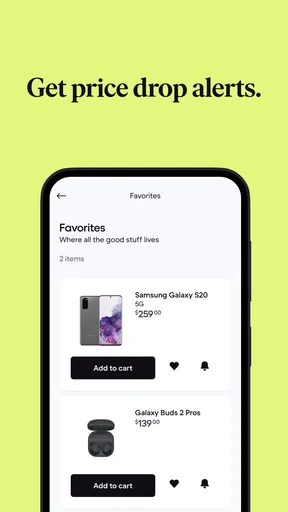
- Selling an old phone can help offset the cost of a replacement device.
Limitations of Back Market - Buy & Sell tech
- Product quality can vary because different sellers handle the refurbishment.
- Some popular models or storage options sell out quickly.
- Battery health may differ between listings and may not be brand-new.
- Accessories may be generic or missing compared with the original package.
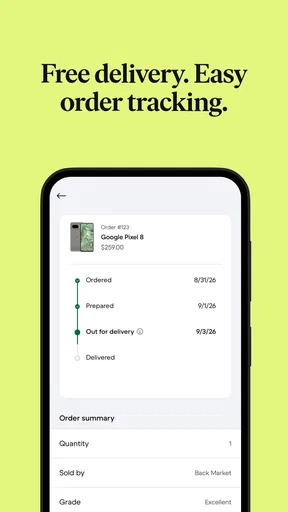
- Shipping times and support experiences can depend on the individual seller.
Similar Picks in This Category
View All
SHEIN-Shopping Online
Roadget Business PTE. LTD.4.8

Amazon Shopping
Amazon Mobile LLC4.4


Mercado Libre: Compras online
Mercado Libre4.8

Wish: Shop and Save
Wish US Holdings LLC4.7

Alibaba.com - B2B marketplace
Alibaba Mobile4.4
Frequently Asked Questions
What is Back Market, and how does buying refurbished technology work?
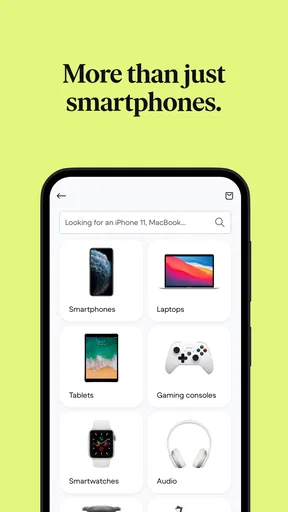
Back Market is an online marketplace focused on refurbished electronics, including smartphones, tablets, laptops, game consoles, smartwatches, and accessories. Products are sold by professional refurbishers rather than directly by Back Market. Each listing normally includes a condition grade, technical details, price, warranty information, and seller details, helping you compare devices before placing an order.
Are products purchased through Back Market reliable and tested?
Refurbished products listed on Back Market are generally inspected, cleaned, tested, and repaired by the individual refurbishing seller before being offered for sale. However, the exact testing process can vary between sellers and product categories. Before buying, check the seller’s rating, customer reviews, condition description, included accessories, battery information, and warranty terms to make a more informed decision.
What warranty and return options are available on Back Market?
Back Market purchases commonly include a limited seller warranty and a return period, although the exact duration and conditions may depend on your country, product, and seller. If an item arrives damaged, defective, or different from its description, contact customer support promptly through the order section. Keep the packaging and document any issue with photographs when possible.
Can I sell my old phone or other electronics through Back Market?
Back Market may offer a trade-in or buyback service for eligible smartphones, tablets, computers, consoles, and other devices, depending on your location. You usually provide the model and condition, receive an estimated value, and ship the device for inspection. The final offer can change if the actual condition differs, so remove personal data and disable account locks before sending it.
What should I check before ordering a refurbished device on Back Market?
Before completing a purchase, verify the exact model, storage capacity, color, network compatibility, operating system, battery condition, and whether a charger or other accessories are included. Also review the cosmetic grade, seller feedback, delivery estimate, warranty, and return policy. Remember that refurbished devices may show minor signs of previous use even when they function correctly.
